
 English
 Español
 Content
- 1 LED Candles with Timer: The Most Practical Feature You Should Never Skip
- 2 How the Timer Function on LED Candles Actually Works
- 3 Types of LED Candles with Timer: Pillar, Taper, Tealight, and Jar Styles
- 4 Battery Life Expectations When Using the Timer Feature Consistently
- 5 Remote Control vs. Button Timer: Which Setup is More Practical
- 6 Flickering Flame Effect and How It Interacts with the Timer
- 7 Where to Use LED Candles with Timer: Room-by-Room Recommendations
- 8 How to Synchronize Multiple LED Candles with Timer at the Same Time
- 9 What the Timer Button Does Versus the On/Off Switch — Common Confusion Explained
- 10 Choosing the Right LED Candle with Timer: A Buyer's Checklist
- 11 Troubleshooting Common LED Candle Timer Problems
- 12 LED Candles with Timer for Events, Weddings, and Commercial Applications
- 13 Environmental and Safety Advantages of LED Candles with Timer Over Real Candles
LED Candles with Timer: The Most Practical Feature You Should Never Skip
If you want flameless candles that actually fit into your daily routine without constant switching on and off, LED candles with timer are the single most useful feature to look for. A built-in timer — most commonly a 4-hour or 6-hour cycle on a 24-hour repeat — means the candles turn on and off automatically every day at the same time, with zero effort from you. Whether you're setting the mood for a dinner table, creating a warm glow in a bedroom, or decorating a holiday mantle, a timer-equipped led candle timer setup removes the guesswork entirely. This article covers how timers work, what types exist, how to use them correctly, and what to expect from different price tiers.
How the Timer Function on LED Candles Actually Works
The timer mechanism in most LED candles with timer is a microcontroller embedded in the base of the candle. When you press the timer button (usually marked "T" or "Timer"), the candle records the current time as the "on" point. After the preset interval — most commonly 4 hours ON, then 20 hours OFF — the candle shuts itself down, and repeats the same cycle every 24 hours thereafter.
This means if you activate your LED candle with timer at 6:00 PM, it will light up every evening at 6:00 PM and turn off at 10:00 PM, automatically, every single day until the batteries run out or you manually override it. You don't press anything again. The timer memory is stored in the controller and survives minor battery fluctuations in quality units.
Common Timer Intervals Available on the Market
| Timer Mode | ON Duration | OFF Duration | Best For |
|---|---|---|---|
| 4H Timer | 4 hours | 20 hours | Short evening ambiance, dining |
| 6H Timer | 6 hours | 18 hours | Living rooms, longer evenings |
| 8H Timer | 8 hours | 16 hours | Bedroom all-night glow, events |
Some premium models offer remote-controlled timers or smartphone app integration, where you can set a custom on/off schedule down to the minute. These are especially popular in hospitality settings such as hotel lobbies and spa reception areas, where lighting consistency across dozens of candles matters operationally.
Types of LED Candles with Timer: Pillar, Taper, Tealight, and Jar Styles
The timer function is now available across virtually every form factor of flameless candle on the market. Knowing which type suits your space is the first decision before you think about timer settings.
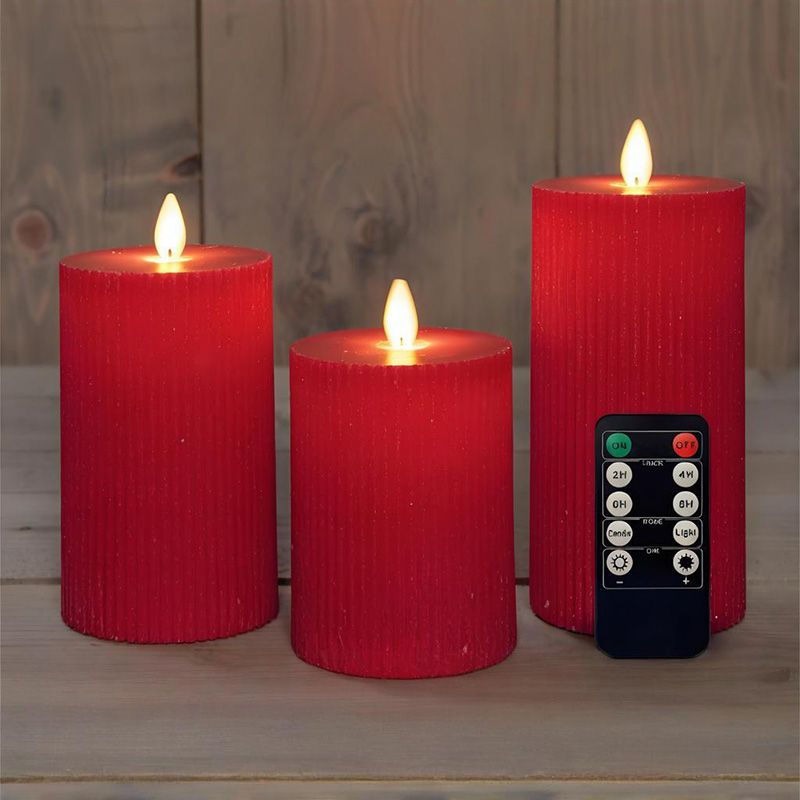
Pillar LED Candles with Timer
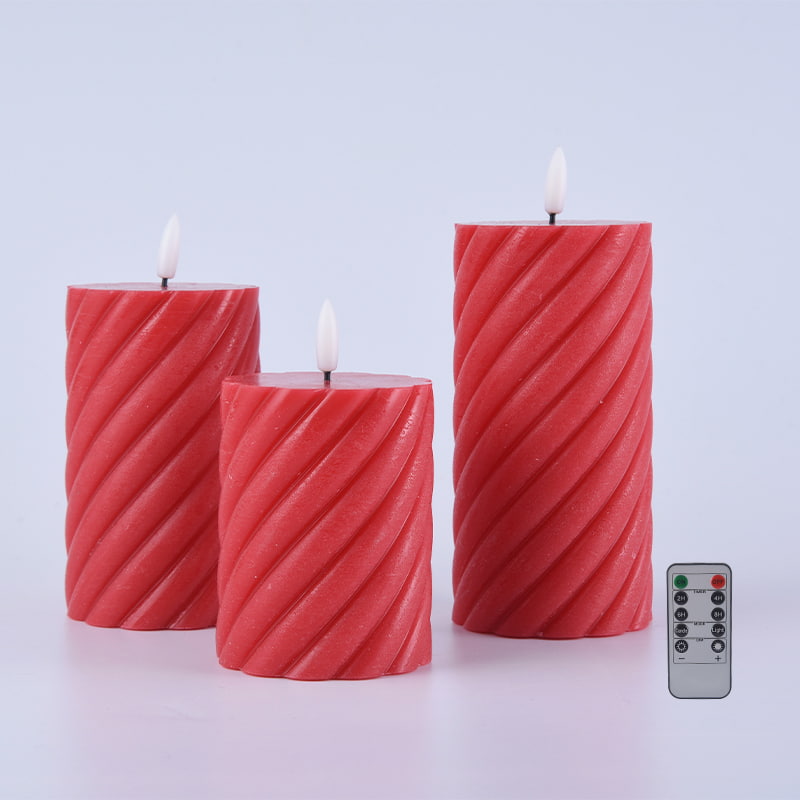
Pillar candles are the most popular format. They range from 3 inches to 12 inches tall and come in diameters of 2 to 4 inches. Most pillar LED candles with timer run on 2 AA or 2 C batteries, giving 200 to 500 hours of runtime depending on battery quality and whether the flickering effect is active. The timer in pillar candles is usually activated by a small button on the bottom or accessed via a remote control.
Wax-coated pillar LED candles — where the outer shell is real paraffin or palm wax with a plastic core — look nearly identical to traditional candles from a distance and feel similar to the touch. Brands like Homemory, Luminara, and Flameless Impressions specialize in this style, with their drip-effect wax finish being particularly convincing for home decor use.
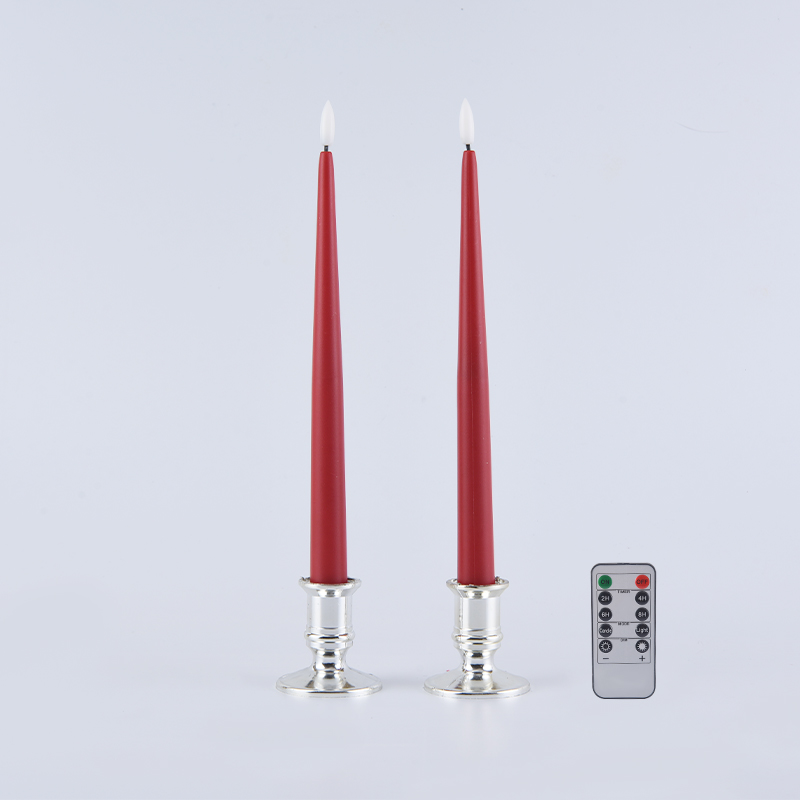
Taper LED Candles with Timer
Taper candles are the slim, elegant style used in candelabras and dining table holders. LED versions with timers are now common and typically run on a single AA battery per candle. The challenge with tapers is that the battery compartment must be very slim, which sometimes limits the timer function to a basic 4-hour preset rather than the adjustable intervals found in pillar models.
For events and restaurants that use taper candles as table centerpieces, setting the timer once and leaving them to auto-repeat nightly saves significant labor time — a restaurant using 40 tables with 2 tapers each avoids manually turning on and off 80 candles per service.
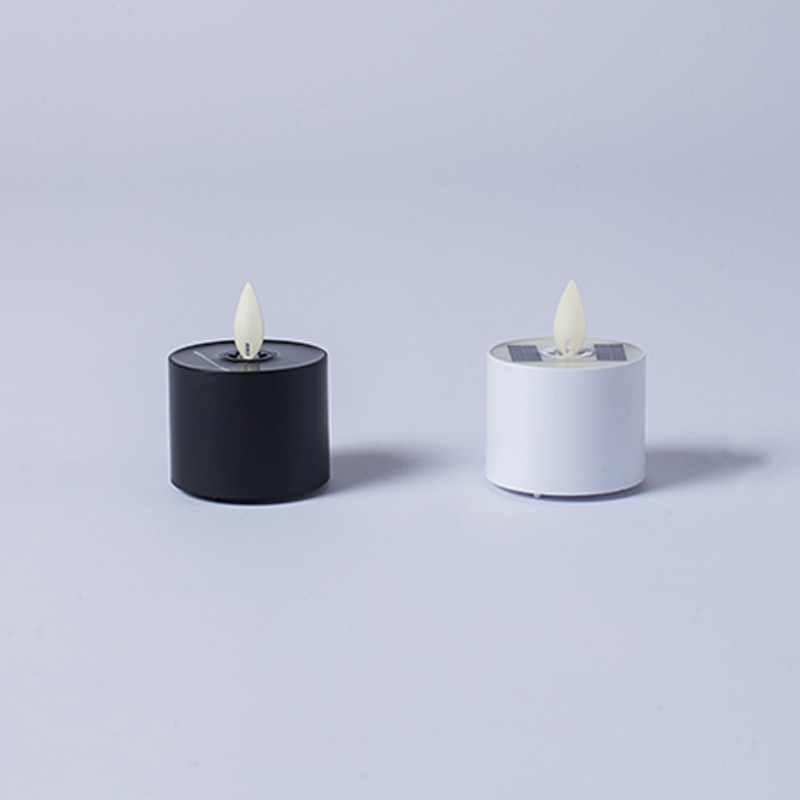
Tealight LED Candles with Timer
LED tealights with timers are among the hardest to find because of the size constraint — the electronics must fit into a disc roughly 38mm in diameter and 14mm tall. Models that include timer functionality in this size typically use a coin cell battery (CR2032 or CR2450) and offer a fixed 6-hour timer. Some sets of 12 or 24 tealights are designed to sync with a single remote so all candles can be set simultaneously.
Tealights with timers are very popular for wedding centerpieces, floating arrangements, and lanterns. A set of 100 tealights lit manually for an evening event takes significant time; with a timer set before the event starts, they all activate and deactivate on schedule.
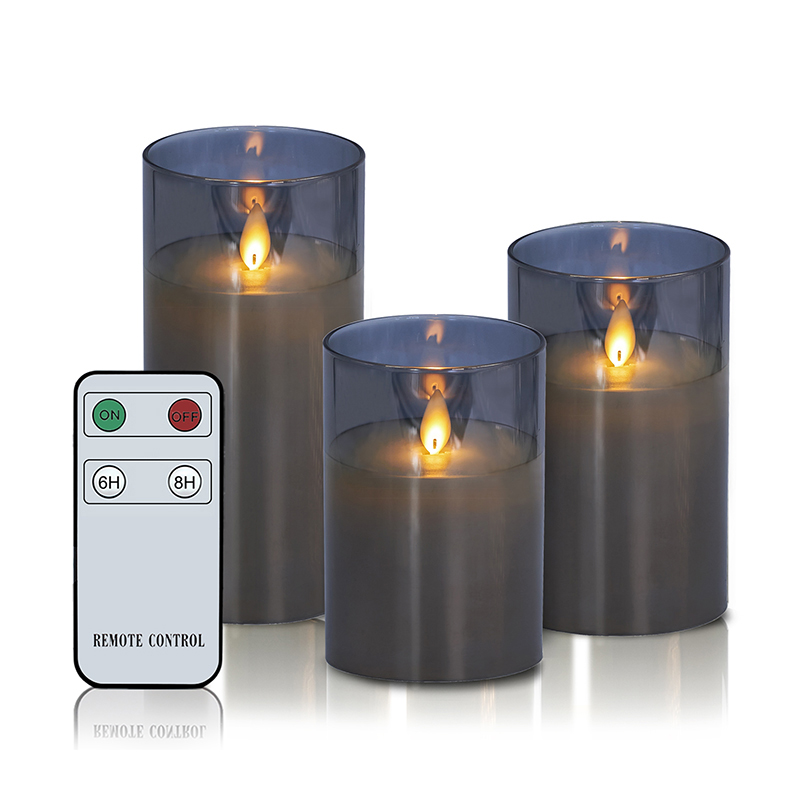
Jar and Container LED Candles with Timer
Jar-style LED candles mimic soy or paraffin jar candles and are becoming more common as gift items and home decor pieces. These often include a fragrance pad holder — a thin fiber disc infused with essential oils — inside the jar, giving the visual effect of a scented candle without flame. Timer functionality in jar LED candles typically includes both a 4-hour and 8-hour option accessible via a small magnetic key or button on the lid.
Battery Life Expectations When Using the Timer Feature Consistently
One of the most frequent questions buyers have is how long batteries last when the led candle timer is running on a 24-hour repeat schedule. The answer depends on several factors: battery size, LED type, flame-flicker effect, and timer interval.
Estimated Battery Life by Timer Interval
| Battery Type | Timer Setting | Daily Active Hours | Approx. Battery Life |
|---|---|---|---|
| 2 x AA (Alkaline) | 4H | 4 hrs/day | ~60–90 days |
| 2 x AA (Alkaline) | 6H | 6 hrs/day | ~40–60 days |
| 2 x C (Alkaline) | 6H | 6 hrs/day | ~90–120 days |
| USB Rechargeable | 6H | 6 hrs/day | ~20–30 days per charge |
Using lithium batteries instead of standard alkaline in AA-powered LED candles with timer is the single easiest way to extend runtime. Energizer Ultimate Lithium AA batteries, for example, are rated at approximately 3,000 mAh versus the 2,500–2,700 mAh of typical alkaline cells, and they perform significantly better in cold environments — relevant for outdoor lanterns and holiday yard decorations in winter climates.
For permanent installations where battery replacement is inconvenient — such as tall pillar candles on a high mantelpiece — rechargeable LED candles with a USB charging port and built-in timer are worth the higher upfront cost. You simply remove the candle from its holder once every three to four weeks, charge it overnight, and replace it.

Remote Control vs. Button Timer: Which Setup is More Practical
The led candle timer can be activated in two main ways: a physical button on the candle base, or a remote control that communicates with the candle's receiver. Each approach has real trade-offs that depend on how and where you use the candles.
Physical Button Timer
The button-timer method is the most common in entry-level and mid-range LED candles. You press a small button — often marked "T" — once to enter timer mode. The candle records the current moment as the start time and lights up for either 4, 6, or 8 hours depending on the model. It then turns off and repeats at the same time every 24 hours.
- No additional accessories needed
- Simple to operate for all ages
- Works well for 1–3 candles in a straightforward setup
- The candle must be physically reached to change the setting — inconvenient when placed in tight or elevated spots
- Each candle must be set individually, which becomes tedious with large groupings
Remote Control Timer
Remote-enabled LED candles with timer include a small infrared (IR) or radio frequency (RF) receiver inside the candle. A handheld remote — usually included in sets of 3, 6, or 12 candles — lets you control all candles simultaneously from across the room. RF remotes work through walls and at distances up to 30 feet, while IR remotes require line-of-sight and typically work up to 15 feet.
- Set the timer on all candles simultaneously in seconds
- Adjust timer intervals without moving or touching the candles
- Some remotes include dimming controls in addition to timer settings
- The remote adds a small item to keep track of; losing it disrupts the system
- RF remotes typically add $3–$8 per set to the retail price
For a simple home setup with two or three candles on a fireplace, the button timer is entirely sufficient. For a hospitality or event context where 10 or more candles need to be synced and adjusted regularly, the remote control method is worth it every time.
Flickering Flame Effect and How It Interacts with the Timer
Most LED candles with timer available today include a flickering flame effect — a warm amber LED that pulses irregularly to mimic the movement of a real flame. This effect is produced either by a slightly loose electrical connection in the LED mount that causes natural variation, or more commonly now, by a microcontroller that programmatically varies the LED's brightness at random intervals.
The flickering mode and the timer function operate independently in most designs. When the timer turns the candle on, it resumes in whichever mode — steady or flickering — was last active. This means if you set your candle to flicker mode and then activate the timer, it will flicker every time the timer activates it. You don't need to re-select the mode each cycle.
Some models offer both a "steady glow" and a "flame flicker" mode, with separate buttons for each. Others default to flicker only. For photography or event staging where a very consistent warm glow is needed, steady mode is preferable. For home ambiance and holiday decoration, flicker mode is almost universally preferred — it reads much more realistically as candlelight from a distance.
Color Temperature in Flickering LED Candles
The color temperature of LED candles matters significantly for how realistic the effect looks. Real candle flame burns at approximately 1,800–1,900 Kelvin — an extremely warm, orange-amber tone. Most quality LED candles with timer are designed in the 2,000–2,700 Kelvin range to approximate this. Candles rated at 2,200K or below tend to produce the most convincing warm glow, while those at 3,000K or above read as too white and clinical to convincingly pass as candlelight.
When comparing products, check whether the LED color temperature is listed in the specifications. Budget sets often omit this detail, while mid-range and premium sets from brands like Homemory, LIOWN, and Luminara typically specify it. Luminara's moving-flame technology, patented in 2004, remains one of the most realistic available at consumer pricing (roughly $20–$60 per candle), with their proprietary algorithm producing an especially irregular and natural-looking flame movement.
Where to Use LED Candles with Timer: Room-by-Room Recommendations
The timer function changes the calculus for where LED candles make sense. Without a timer, you have to remember to switch them on and off — making them little different from any other light. With a timer, they become a set-and-forget ambient lighting tool, and new use cases open up that don't work with traditional candles at all.
Living Rooms and Dining Areas
This is the classic use case. A grouping of 3 to 5 pillar LED candles with timer set to 6 hours, activated at dinnertime, creates consistent warm ambiance through the evening without any manual action. Place candles at varying heights — 3 inch, 6 inch, and 9 inch pillars together — to create visual depth. On a fireplace hearth, 7 to 9 candles at staggered heights with a shared remote timer is one of the most popular setups among interior design bloggers and home staging professionals.
Bedrooms and Nightstands
Traditional candles are genuinely dangerous in bedrooms — they're a fire risk near curtains, bedding, and pillows, and there's always the risk of falling asleep with one lit. LED candles with timer eliminate this risk entirely. A single 4-inch pillar candle with a 4-hour timer, activated at 9 PM, glows softly until 1 AM — providing a warm nightlight effect that fades out after you're asleep without any fire risk.
For children's rooms, LED tealights in a lantern or decorative holder with a 4-hour timer serve as a gentle night light that isn't overly bright. Many parents prefer this to plug-in night lights because the softer, lower-to-the-ground placement and warm color temperature is less disruptive to sleep than white LED plug-ins.
Bathrooms and Spa Setups
Bathrooms present a high humidity and occasional water-splash environment that makes real candles a practical challenge — wax drips, wicks go damp, and the combination of fire and water carries obvious risks. LED candles with timer work perfectly in bathroom environments and several waterproof or water-resistant LED candle models are now available for bathtub ledge placement. Setting a 6-hour timer during a regular evening wind-down routine means the candles are always lit when you want them and off when you don't.
Outdoor Spaces: Patios, Porches, and Garden Areas
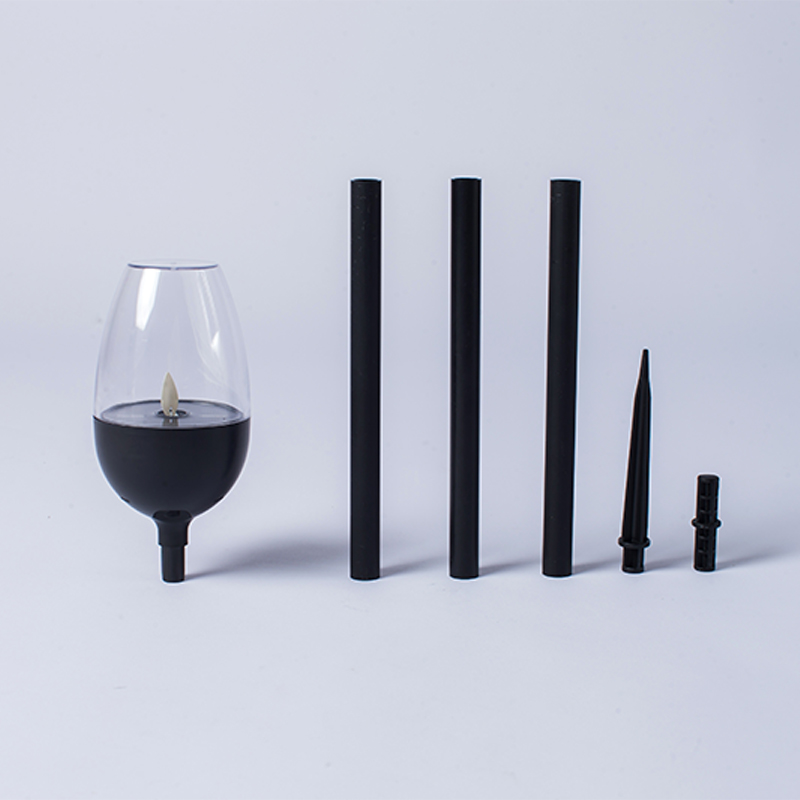
Outdoor use is where the timer function becomes especially valuable, because you're less likely to remember to manually turn candles on and off when transitioning between indoor and outdoor time. LED candles used in outdoor lanterns, hurricane holders, or pathway markers with timers set to activate at dusk and turn off after a set number of hours are a very practical landscape lighting supplement.
For outdoor use, prioritize LED candles rated as weather-resistant or housed in enclosed lanterns that protect them from wind and moisture. Pillar candles in enclosed glass hurricane holders work very well — the glass protects the candle from direct rain and wind while still allowing the warm light to diffuse outward attractively.
Holiday Decorations and Seasonal Displays
This is one of the highest-volume use cases for LED candles with timer. During the Christmas season, Hanukkah, Diwali, or Halloween, large numbers of candles are deployed across mantels, window sills, staircases, and entry tables. Managing the on/off timing of 20 or 30 candles manually is genuinely tedious. A single 6-hour timer set at the same time on all candles means your entire holiday display activates at once, daily, for the whole season.
Window candles — single taper LED candles with suction cup mounts designed to be placed in each window of a home — are almost universally sold with timer functionality for exactly this reason. During the December holiday season, a home with 8 to 12 windows and matching LED taper candles in each, all on a synchronized 6-hour timer, creates a striking coordinated exterior display without any evening management required.
How to Synchronize Multiple LED Candles with Timer at the Same Time
If you buy a set of LED candles with a shared remote, synchronization is usually built in — you press the timer button on the remote and all candles in range set simultaneously. But if you've purchased candles without a remote, or if you have candles from different brands, synchronizing them requires a slightly different approach.
Manual Synchronization Method
- Turn on all candles at the same time using their power switches
- While all are powered on, press the timer button on each one in rapid succession
- Each candle records the moment its timer button is pressed as "T=0"
- If you press all buttons within 30 seconds of each other, they will be off by at most 30 seconds — imperceptible in practice
- Every 24 hours thereafter, all candles will activate within seconds of each other
This manual method works reliably for most household applications. For commercial or event use where exact synchronization matters, a remote-controlled set where all candles respond to a single button press is the correct solution.
Using a Smart Plug as a Backup Synchronization Tool
For rechargeable USB LED candles or those that can run on AC power through an adapter, a smart plug (such as a TP-Link Kasa or Amazon Smart Plug) provides an alternative timer method. You plug all candles into a power strip connected to the smart plug, then use the smart plug's app to set the on/off schedule. This approach allows precise scheduling (e.g., exactly 7:30 PM on weekdays, 6:00 PM on weekends) that the candles' built-in timers can't match.
What the Timer Button Does Versus the On/Off Switch — Common Confusion Explained
Many buyers who are new to LED candles with timer are confused about the difference between the power switch (ON/OFF), the mode button (steady vs. flicker), and the timer button. These are three separate controls that serve very different functions, and mixing them up is the most common reason people think their timer is broken when it's actually working correctly.
- ON/OFF Switch: Cuts all power to the candle. If the candle is OFF at the switch level, the timer does nothing — it has no power to work with. The switch must be in the ON position for the timer to function.
- Timer Button: Activates the timed cycle. Press it once while the candle is lit and the switch is ON. The candle now enters timer mode. It stays lit for the preset interval, then switches off on its own. At exactly 24 hours after you pressed the timer button, it activates again automatically.
- Mode Button: Toggles between steady glow and flickering flame. This does not affect the timer — the candle remembers which mode it was in and resumes that mode when the timer activates it.
The critical rule: always leave the physical power switch in the ON position when using the timer. If you turn the candle off at the switch after setting the timer, the timer memory is usually cleared (on budget models) or the cycle is interrupted (on quality models). Either way, the automation doesn't work. The switch ON position is the normal operating state; the timer handles the rest.
Choosing the Right LED Candle with Timer: A Buyer's Checklist
With hundreds of options across Amazon, specialty home decor retailers, craft stores, and direct-from-manufacturer suppliers, the following criteria help narrow down the right LED candles with timer for any application.
Key Specifications to Evaluate
- Timer interval options: Does it offer only one timer duration, or can you choose between 4H, 6H, and 8H? Adjustable intervals give more flexibility as your needs change.
- Remote control inclusion: For sets of 4 or more candles, remote control is worth paying for. Look for RF (radio frequency) over IR (infrared) for more reliable operation.
- Battery size and type: AA and C batteries are more widely available and cheaper per use than specialty batteries. Verify what size each candle uses before purchasing in bulk.
- Wax coating vs. plastic exterior: Real wax coating looks significantly better than bare plastic. It also feels more tactile and realistic for close-up display situations like dining tables.
- Color temperature: Look for 2,200K–2,700K for warm, realistic candlelight. Avoid products that only state "warm white" without specifying a Kelvin rating.
- IP rating for outdoor use: If using outdoors or in humid bathrooms, look for at least IP44 (splash-resistant) or ensure the candle will be housed in a protective enclosure.
- Rechargeable vs. battery-only: For high-use situations, rechargeable LED candles with built-in timer save money and hassle over time, despite higher upfront cost.
Price Tiers and What to Expect
The LED candle with timer market segments fairly clearly into three price tiers, each with distinct quality and feature levels:
- Budget ($2–$8 per candle): Single timer interval, button activation only, basic plastic or thin wax coating, AA batteries. Reliable for seasonal and temporary decorating. Timer memory may not persist through battery replacement.
- Mid-range ($10–$25 per candle): Multiple timer intervals, often remote-included in sets, thick real-wax coating, better flicker algorithm. More convincing from close range. Timer memory persists through battery change in most models.
- Premium ($25–$80+ per candle): Moving flame technology (Luminara-style), custom scheduling via app, rechargeable, commercial-grade construction. Used in luxury hospitality, high-end retail, and permanent home installations.
Troubleshooting Common LED Candle Timer Problems
Even well-made LED candles with timer occasionally behave unexpectedly. Most issues are simple to resolve once you understand the underlying mechanism.
Timer Stops Repeating After Battery Change
This is the most common problem. On budget models, the timer cycle is stored in volatile memory that resets when the battery is removed. After a battery change, you must re-set the timer by pressing the timer button again at the time you want the cycle to begin. On higher-quality models, timer settings are stored in non-volatile memory (EEPROM) and survive battery replacement — this is worth paying extra for if reliability matters.
Candle Turns On at Wrong Time
If your LED candle with timer is activating at an unexpected hour, the most likely cause is that the timer was originally set at a different time of day — perhaps by a family member or during an initial setup test. To reset the timer to a new time, simply turn the candle off at the power switch, wait 10 seconds, turn it back on, and press the timer button at the exact moment you want the new cycle to start. The candle will now activate at that time every 24 hours.
Remote Control Not Working
RF remote issues are almost always related to one of three causes: dead remote battery, the candle's power switch being in the OFF position, or the candle being out of the remote's range. IR remote issues are more often caused by an obstruction between the remote and the candle's receiver (usually on the candle's base). Replacing the remote battery (usually a CR2032) resolves the issue in the majority of cases.
Flickering is Inconsistent or Stops
If the flame flicker effect becomes sluggish or stops, the battery voltage has likely dropped below the operating threshold for the flickering circuit even if the candle still produces some light. This happens because the flicker algorithm in the microcontroller requires a stable minimum voltage. Replacing the batteries resolves this immediately in all cases.
LED Candles with Timer for Events, Weddings, and Commercial Applications
Large-scale use of LED candles with timer — for events, weddings, restaurants, hotels, and retail displays — requires thinking at a different scale than single-household use. The timer function, combined with bulk purchasing and remote synchronization, enables entirely new operational approaches to ambient lighting.
Wedding and Event Planning
Event planners who have switched from real candles to LED candles with timer often cite three main reasons: fire safety compliance (many event venues prohibit open flames entirely), cost predictability (no wax drip damage to linens or surfaces), and operational efficiency. At a 200-guest wedding with 25 tables and 4 candles per table, managing 100 candles manually would require dedicated staff time; a synchronized timer set before guests arrive makes this effortless.
Wedding-specific LED candle sets — often marketed as "battery operated candles for wedding centerpieces" — typically include a 6-hour timer, warm 2,200K flickering LED, ivory or white wax finish, and a multi-candle remote. Sets of 12 with one remote are the most common retail configuration for this use case.
Restaurant and Hospitality Use
Restaurants using real candles face ongoing operational costs: purchasing candles in bulk, replacing burned-out tapers or votives mid-service, dealing with wax drips on tablecloths and holders, and the fire safety considerations of having live flames near guests. LED candles with timer address all of these at once. A quality LED taper or pillar candle costs $8–$20 upfront but lasts through hundreds of hours of use.
The timer function for restaurants typically means activating the cycle once at the start of the week. Every evening, the candles light up for the dinner service window automatically. Some restaurants use 8-hour timers that start at 4 PM to cover both the early-bird and late dinner service windows without needing any adjustment between sessions.
Retail Store Displays
Home decor, gift, and lifestyle retail stores frequently use LED candles as visual merchandising tools. A cluster of 10 to 20 LED candles with synchronized timers in a display area creates active, changing visual interest — the flickering effect draws the eye even in a busy retail environment. Stores that use timer-equipped LED candle displays report that the active visual display increases dwell time in the candle section, though precise figures vary by store layout and merchandising strategy.
Environmental and Safety Advantages of LED Candles with Timer Over Real Candles
Beyond convenience, there are measurable environmental and safety reasons why LED candles with timer make practical sense, particularly when used long-term or in volume.
Fire Safety
According to the U.S. Fire Administration (USFA), candles cause approximately 7,400 home fires per year in the United States, resulting in an estimated 90 deaths, 670 injuries, and $291 million in property damage annually. Falling asleep with a candle lit and leaving candles unattended are the two leading causes. A timer-controlled LED candle eliminates both scenarios — it cannot cause a fire, and it turns itself off whether or not you remember to do so.
Air Quality
Burning paraffin candles releases trace amounts of volatile organic compounds (VOCs), toluene, and benzene, along with soot particulates. A 2009 study published in the journal Atmospheric Environment found that regular candle burning in enclosed spaces can raise indoor particulate matter levels meaningfully above ambient outdoor levels. LED candles emit no combustion byproducts whatsoever. For households with small children, pets, asthma sufferers, or elderly occupants, this is a substantive air quality benefit.
Energy Consumption
A typical LED candle draws 0.5 to 0.8 watts of power when running on its built-in batteries. A real wax candle, while consuming no electricity, burns approximately 5 to 10 grams of wax per hour, with the energy value of paraffin wax roughly comparable to diesel fuel. For long-term, high-frequency use, the lower material consumption and reusability of LED candles with timer represents a meaningful reduction in household consumable waste.